Loading...
Gigaat User Guide

Gigaat User Guide

Welcome to Gigaat — the freelance marketplace for employers and freelancers.
Secure, professional, and easy to use.
Let’s explore how to get started!

For Freelancers

  • Sign up & verify your email
  • Complete your profile
  • Upload identity documents
  • Start offering your gigs!
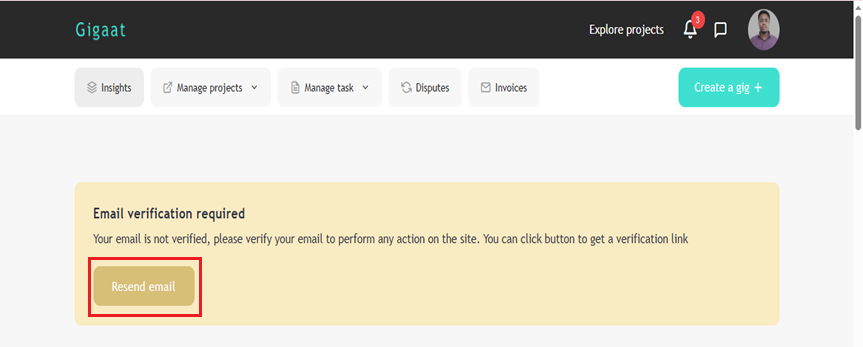
Email Verification
  • Check your email (inbox/spam)
  • Click the verification link
  • Start using your freelancer dashboard
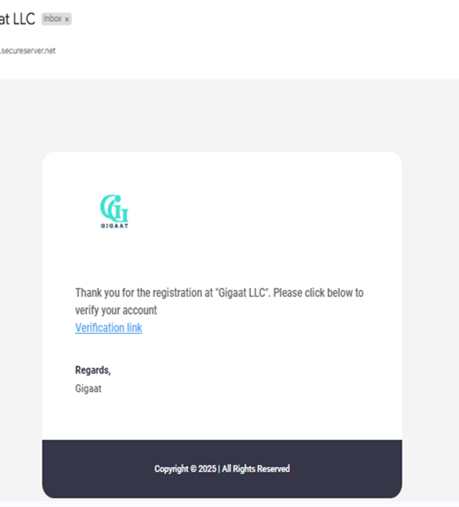
Placeholder: Email Verification Screenshot Placeholder: Email Verification Screenshot
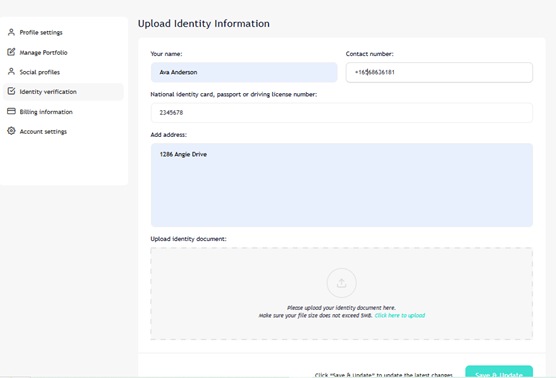
Identity Verification
  • Go to Dashboard → Identity Verification
  • Upload your passport, national ID, or driver’s license
  • Admin approval = verification badge!
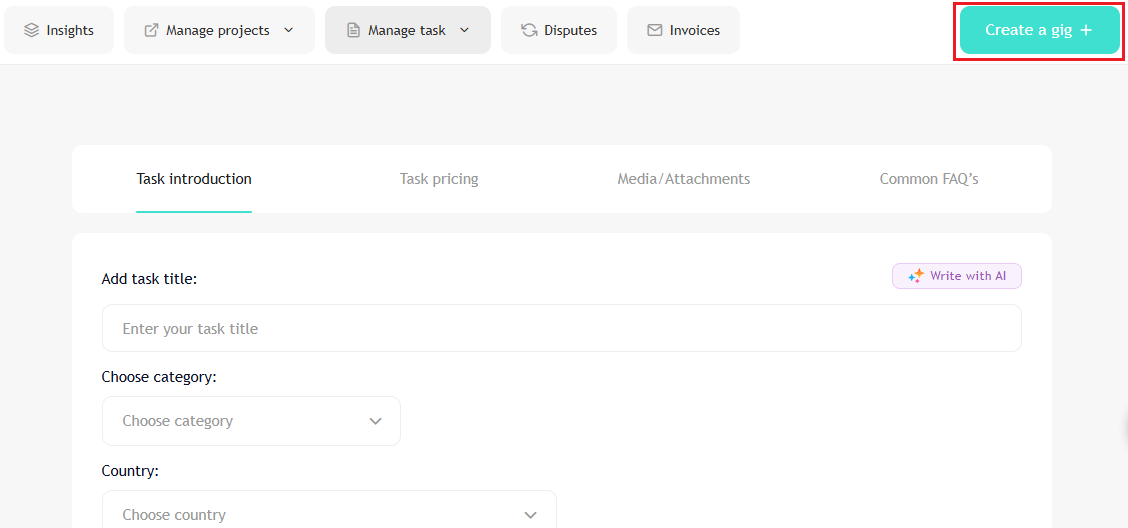
Creating Gigs
  • Click on Create a gig button
  • Add: Title, Category, Description, Pricing, Delivery time, Images
  • Submit for admin review
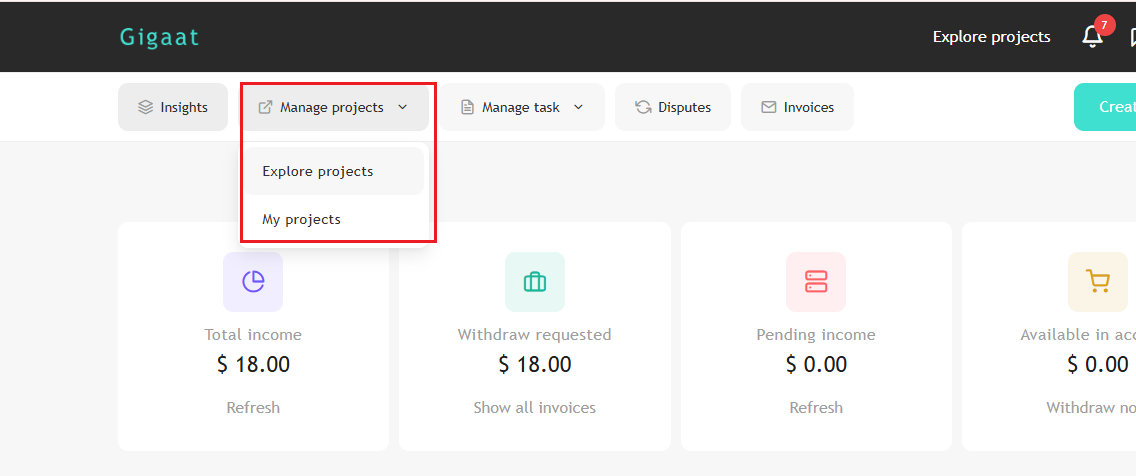
Applying for Jobs
  • Browse jobs in Dashboard → Manage Projects
  • Click on a job to view details
  • Click Apply Now to send a proposal

For Employers

  • Sign up & verify email
  • Post jobs easily and find talent!
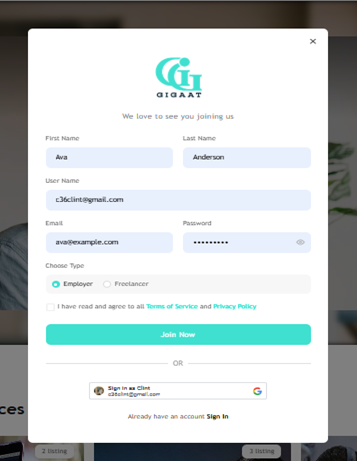
Signing Up
  • Go to https://gigaat.com/
  • Click “Sign Up” → choose Employer
  • Fill in: name, email, password
  • Click Register
Email Verification
  • Check your email for verification
  • Click the link to activate your account
Posting a Job
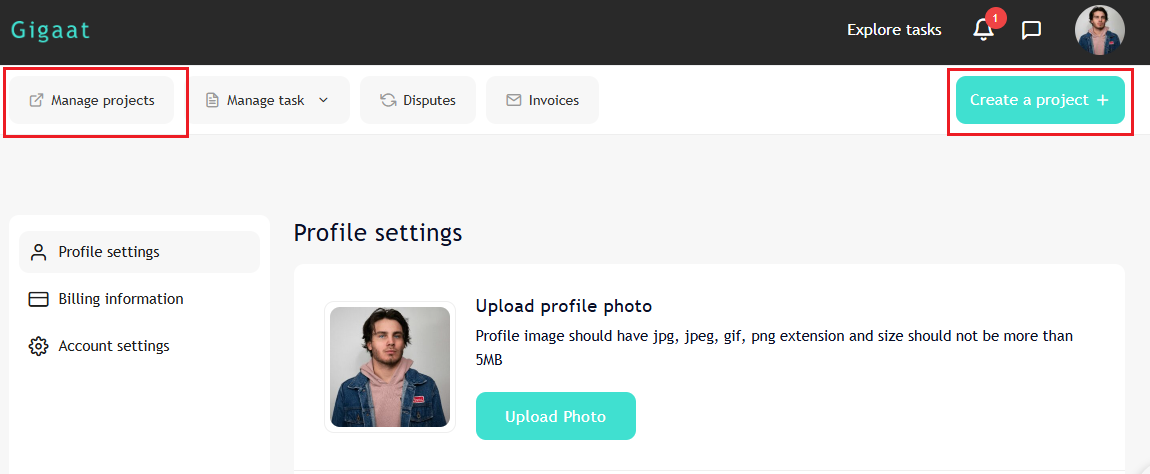
  • Go to Dashboard → Manage task or Create a Project
  • Add: Job title, Description, Category, & Budget
  • Follow the steps
  • Click Publish

Tips for Success

  • Keep your profile updated
  • Respond to messages promptly
  • Be professional & clear
  • Grow your freelance career with Gigaat!

Thank You!

Visit https://gigaat.com/ to get started today.
Questions? Contact our support team.